

Overview
The Event Simulator makes it easy to simulate real-world events such as users linking their retailer accounts and making retail purchases. This allows you to test your API and webhook integrations without linking personal accounts and making real purchases.Simulator Behavior
Supported Events
The event simulator allows you to simulate the following scenarios:- Users linking retail accounts resulting in
connection.activatedwebhooks - Users making retail purchases resulting in
purchase.createdwebhooks - Linked accounts becoming unauthenticated resulting in
connection.unauthenticatedwebhooks - Users re-linking their accounts resuling in
connection.activatedwebhooks
API and Webhook Interactions
You are able to retrieve details of these simulated objects via the Subtotal API, just as you would real connections and purchases. Webhook destinations can be configured to accept simulated events so you can safely avoid simulated events being delivered to production webhook destinations.Simulated Purchases
When it comes to purchases, we ensure that all simulated purchases contain at least one product from a brand that you are subscribed to. Additionally, simulated items are derived from real products available at the retailer that the simulated connection was created for. This ensures realistic payloads that contain your brand’s products.Configure Simulated Events for Your Webhook Destination
Navigate to webhooks and select the option to configure your webhook destination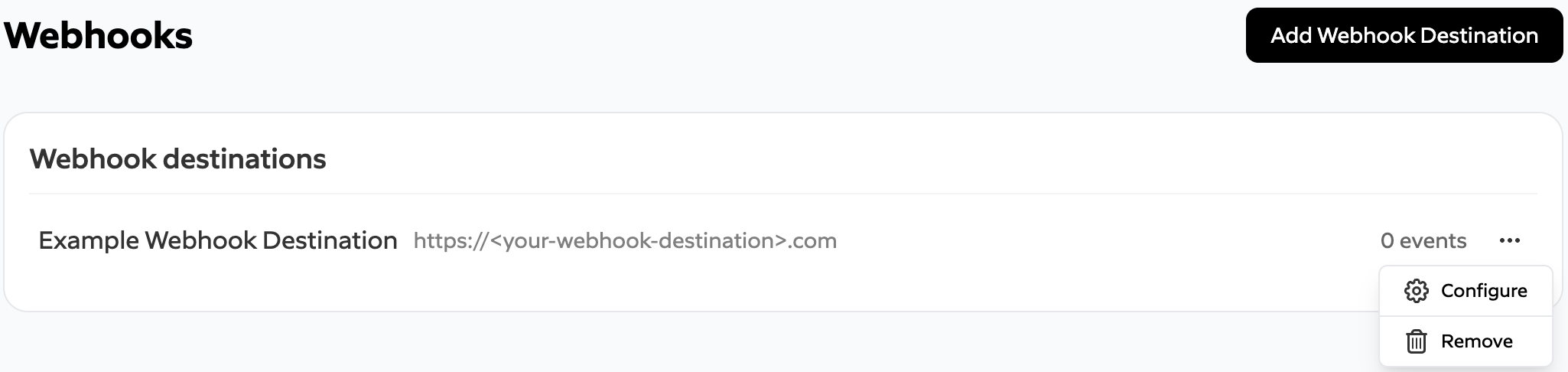
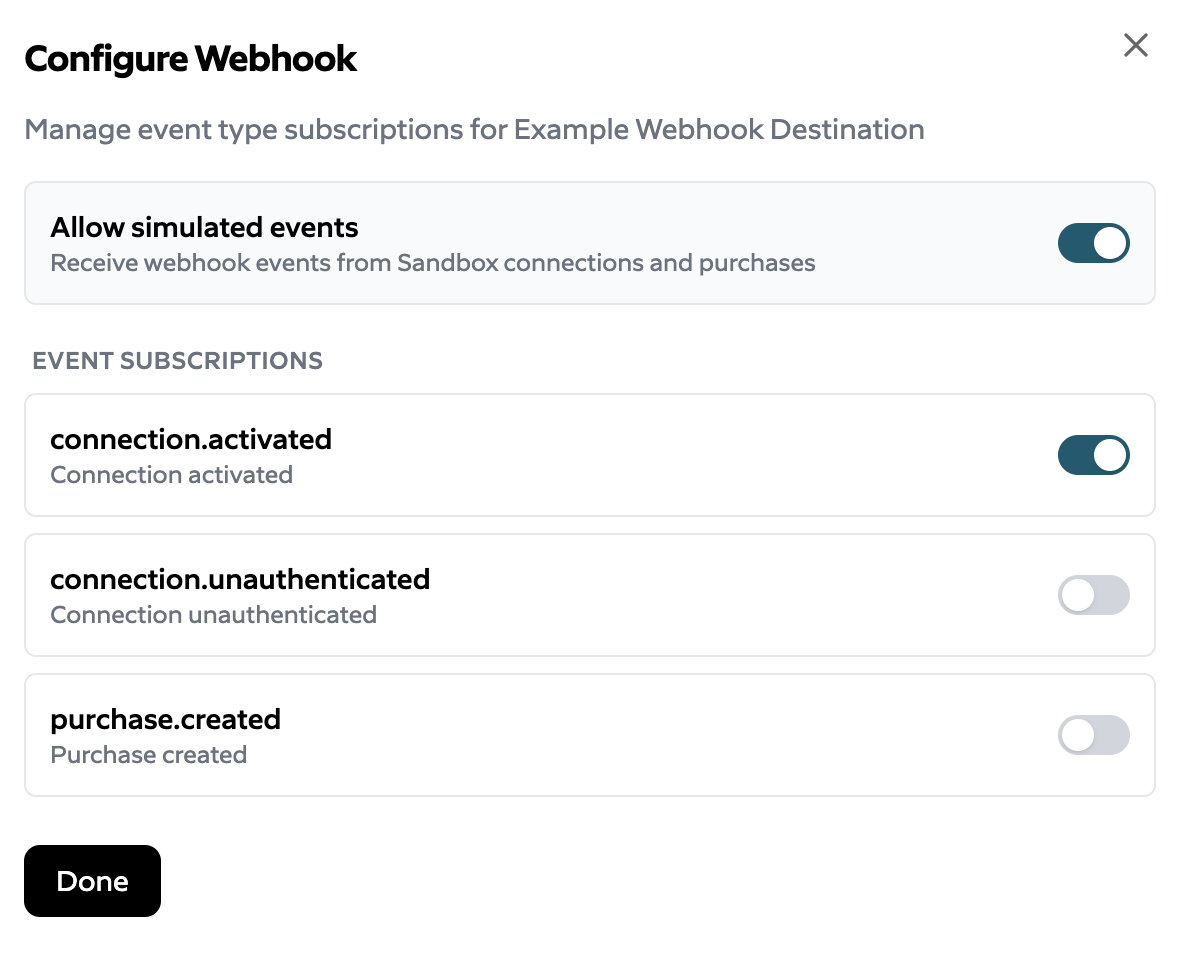
Run Simulations
Note: Prior to simulating connections, you must first configure your list of retailers in the Subtotal Link Configuration To get started with running simulations, navigate to the simulator.Simulate an Account Link
To simulate an account link, select the option in the top right to Simulate an Account Link.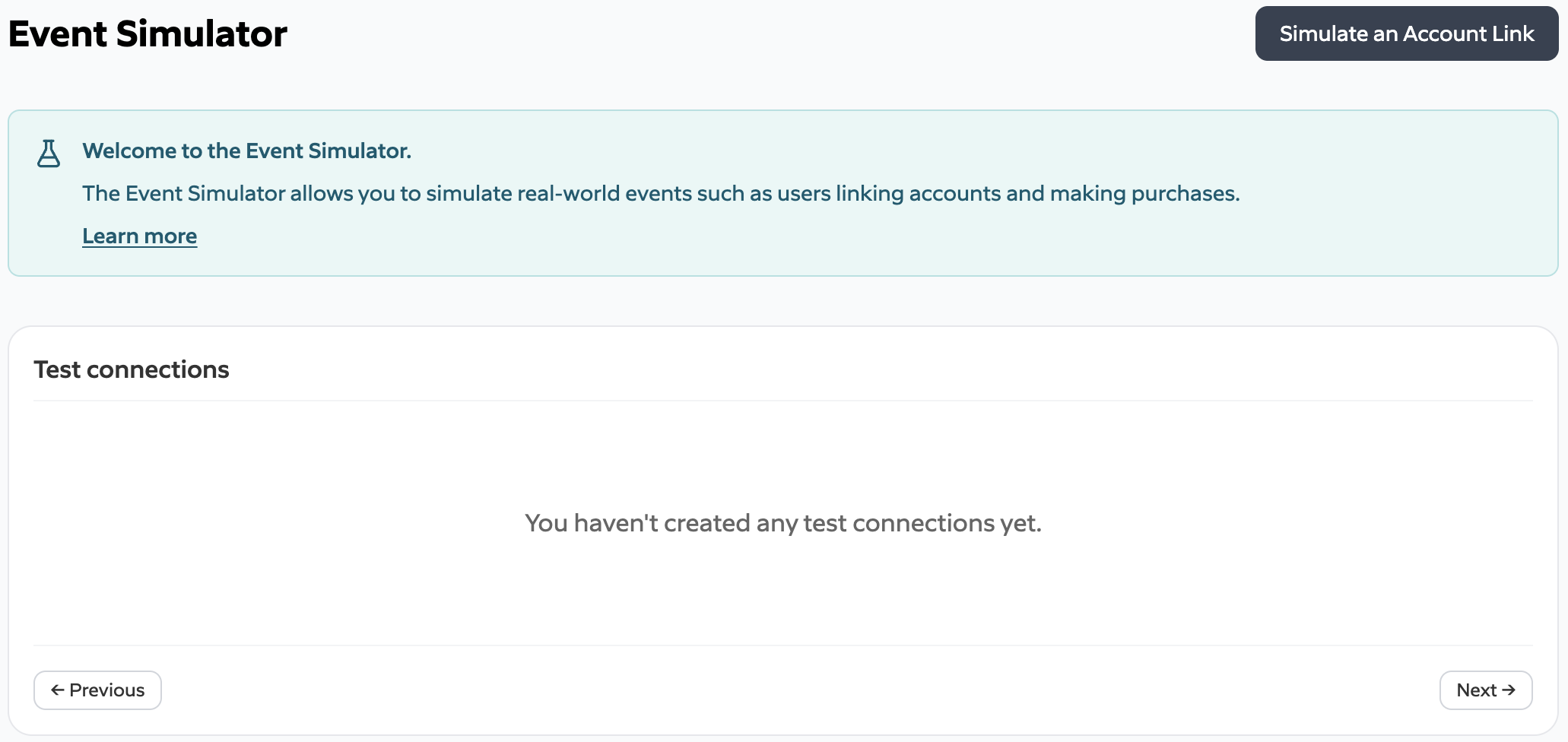
connection.activated webhook will be delivered.
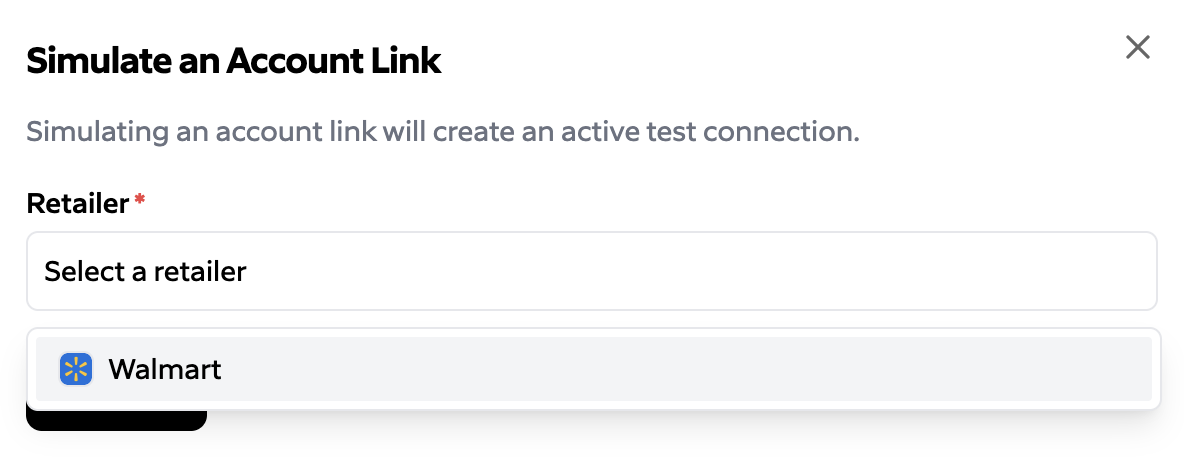
Modify Status and Simulate Purchases
Once a simulated connection has been created, you’ll see the new connection in the list of simulated connections. The identifier displayed with the connection corresponds to theconnection_id for the connection, which can be used for API calls to retrieve
data related to the connection. Selecting the options for the connection displays the
ability to change the status of the connection and simulate a purchase. This results
in the connection.[activated|unauthenticated] and purchase.created events respectively.
