> ## Documentation Index
> Fetch the complete documentation index at: https://docs.subtotal.com/llms.txt
> Use this file to discover all available pages before exploring further.
# Rewarding purchases
> Set up Rivo to reward points when customers make retail purchases.
## Create a Custom Action in Rivo
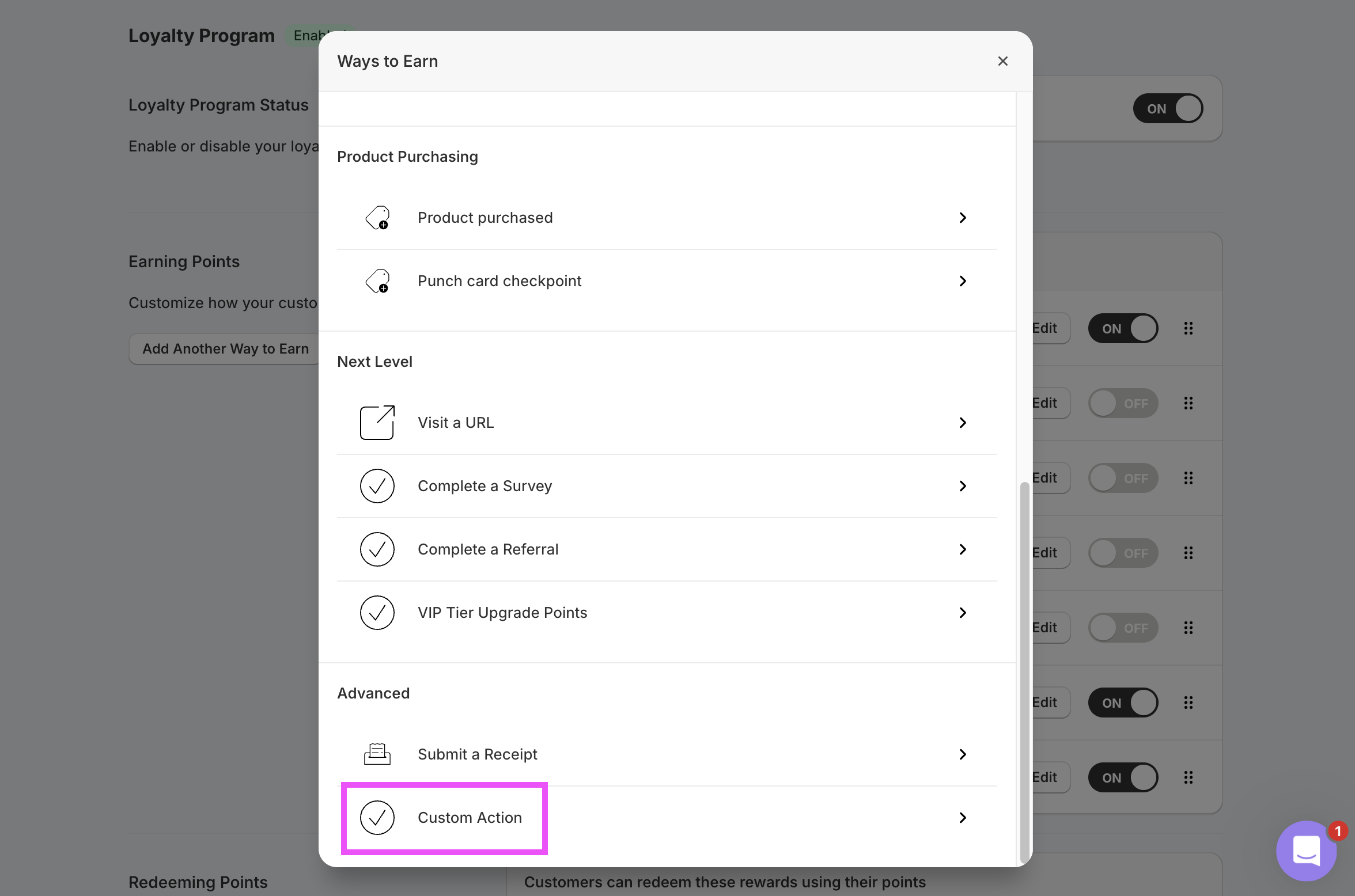
In your Rivo admin, navigate to the Loyalty Program and click `Add Another Way to Earn`. Choose `Custom Action`.
 Give the action a name (e.g. `Make a Retail Purchase`). Save the rule.
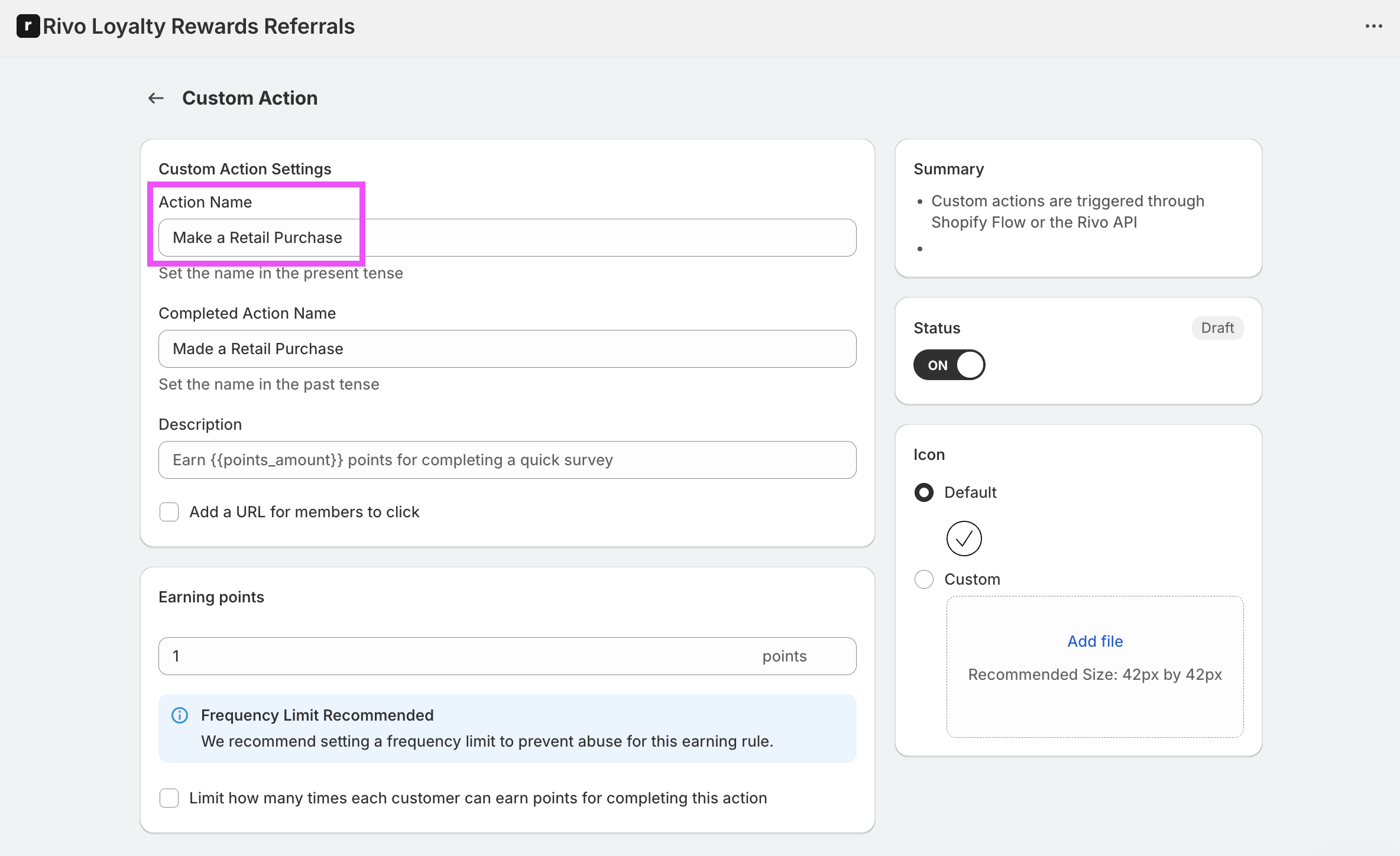 Keep the **Action Name** value handy — you'll use the exact same string in the matching Subtotal action.
Subtotal pre-computes the points for each purchase and sends the value to Rivo, so the points configured on this Rivo rule are always overridden. You can leave the rule's points at a placeholder value (e.g. `1`) — the actual reward is calculated in Subtotal.
## Add the action in Subtotal
In the Subtotal Dashboard, navigate to your [Rivo integration](https://dashboard.subtotal.com/integrations/rivo) and click `Add action`.
Choose `purchase.created` as the event, and set **Action name** to the same value you used on your Rivo Custom Action. Optionally restrict to specific retailers, set **Points per dollar**, and set a **Start date**. Subtotal will only reward purchases made on or after the start date — this controls how much historical purchase data gets sent to Rivo when a customer first links their account.
Keep the **Action Name** value handy — you'll use the exact same string in the matching Subtotal action.
Subtotal pre-computes the points for each purchase and sends the value to Rivo, so the points configured on this Rivo rule are always overridden. You can leave the rule's points at a placeholder value (e.g. `1`) — the actual reward is calculated in Subtotal.
## Add the action in Subtotal
In the Subtotal Dashboard, navigate to your [Rivo integration](https://dashboard.subtotal.com/integrations/rivo) and click `Add action`.
Choose `purchase.created` as the event, and set **Action name** to the same value you used on your Rivo Custom Action. Optionally restrict to specific retailers, set **Points per dollar**, and set a **Start date**. Subtotal will only reward purchases made on or after the start date — this controls how much historical purchase data gets sent to Rivo when a customer first links their account.
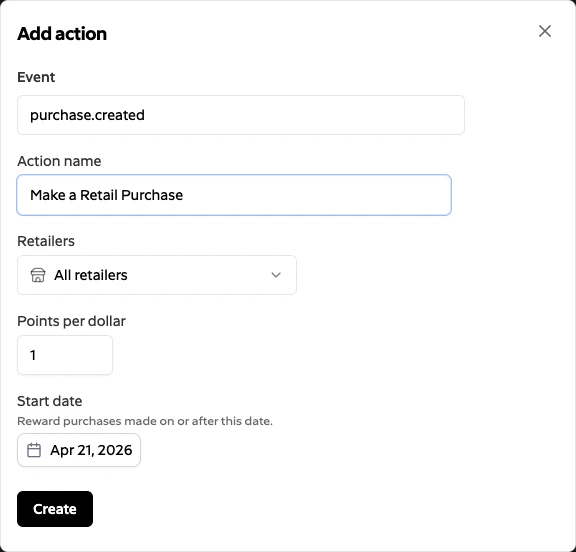 Click `Create`. Subtotal will now trigger the matching Custom Action in Rivo for each qualifying purchase it collects.
Subtotal computes the point value for each purchase as `ceil(items_subtotal × points_per_dollar)` — where `items_subtotal` is the sum of `price × quantity` for each item Subtotal collects from the receipt — and sends the resulting integer to Rivo. Taxes, shipping, and other fees are not included. One Rivo points event is posted per qualifying purchase.
Click `Create`. Subtotal will now trigger the matching Custom Action in Rivo for each qualifying purchase it collects.
Subtotal computes the point value for each purchase as `ceil(items_subtotal × points_per_dollar)` — where `items_subtotal` is the sum of `price × quantity` for each item Subtotal collects from the receipt — and sends the resulting integer to Rivo. Taxes, shipping, and other fees are not included. One Rivo points event is posted per qualifying purchase.